
SVG to PNG Converter at Any Size
Rasterise logos, icons and illustrations into crisp PNG files at exactly the size you need, privately in your browser.
Drop SVG files here, or click to choose
SVG files · up to 50 files · 50 MB each · Ctrl+V to paste · nothing is uploaded
- Runs in your browser
- No upload, no account
- Free and unlimited
- No watermark
- Batch + ZIP download
This free SVG to PNG converter turns vector files into sharp images on your own device. Add one file or a batch, choose a scale from 1x to 8x or an exact width in pixels, keep the transparent background or fill it with a colour, and download each PNG or a ZIP. Files are cleaned of scripts and never uploaded.
How to convert SVG to PNG in four steps
1. Add SVG files
Drop files, click to browse, or paste an SVG with Ctrl+V.
2. Pick a size
Choose a 1x to 8x scale or type an exact width in pixels.
3. Set the background
Keep transparency, or untick it and choose a fill colour.
4. Convert and save
Download each PNG or every result together as a ZIP.
What this free tool does
1x to 8x scaling
Render small icons large without any blur or jagged edges.
Exact width
Type the pixel width you need; height follows the aspect ratio.
Transparent or solid
Keep the alpha channel or flatten onto any colour.
Safe by design
Scripts, event handlers and external links are stripped before rendering.
Batch and ZIP
Convert up to 50 files and download them in one archive.
No upload
Rendering happens in your browser, so artwork stays private.
Who uses it
Logos for documents
Office apps and email signatures that ignore vector files.
App and web icons
Export exact sizes for app stores, PWAs and favicons.
Social media
Share illustrations where SVG uploads are not supported.
Print mock-ups
Make large, crisp images for slides and proofs.
Free vs Pro: what you pay for
Free · this tool
SVG to PNG Converter
- Unlimited conversions
- Runs in your browser, no upload
- Batch up to 50 files and ZIP download
- No account, no watermark, no credits used
Pro credits · AI cloud tools
Enhance, upscale, restore
- Credits are only for AI cloud processing
- 5 free cloud credits every week with an account
- Charged only when a job succeeds
- Format tools like this one stay free
Why convert SVG to PNG?
SVG files describe shapes with maths rather than pixels, which makes them perfect for logos and icons on the web. Yet many everyday tools still cannot use them. Word processors, slide apps, email clients, marketplaces and social networks usually want a regular image, and some will refuse an SVG upload outright. Converting gives you a picture that works everywhere while you keep the original vector as the master copy.
A PNG also behaves predictably. It looks the same in every program, which avoids surprises when a font or effect inside an SVG is not supported by the viewer at the other end.
The two formats in short
In the comparison of SVG vs PNG, the vector file scales to any size without losing sharpness and is usually tiny for simple graphics, but it needs software that understands it. PNG stores a fixed grid of pixels, supports transparency and opens in practically anything. Use SVG on websites you control and PNG when you are sending artwork to other people or platforms.
How this SVG to PNG converter works
Your browser reads each file as text, checks that it really is SVG and cleans it. Scripts, inline event handlers, embedded web content and links to outside resources are removed, so a malicious file cannot run code or call home. The cleaned markup is then loaded as an image, never inserted into the page, and drawn onto a canvas at the size you selected before being saved as a PNG.
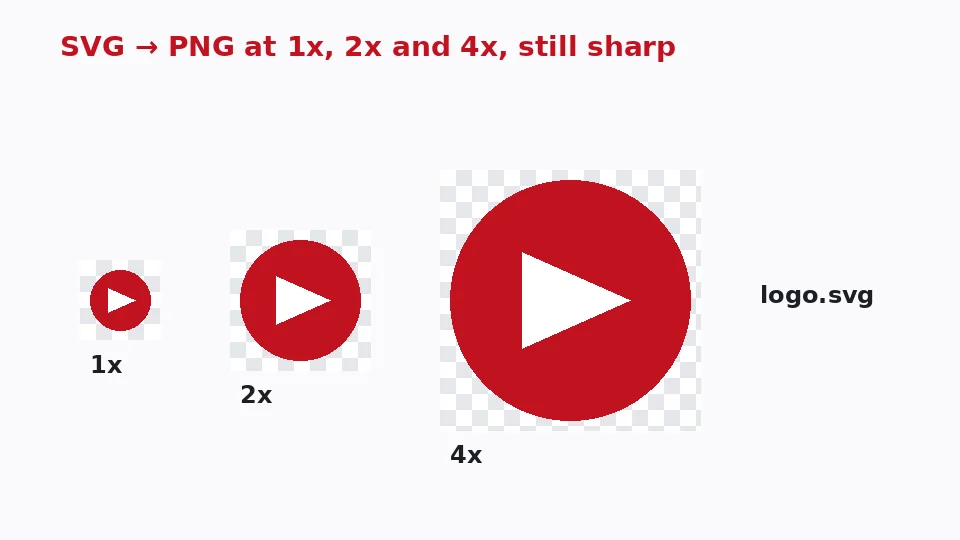
Because the drawing happens at the final size, edges and curves are calculated for that resolution. There is no stretching of a small bitmap, which is why an icon rendered at 8x looks as crisp as one at 1x.
Converting many files
To batch SVG to PNG, select or drop up to 50 files at once. The same size and background settings apply to all of them, a progress bar tracks the work, and a single button bundles the results into a ZIP. File names are kept, so logo.svg becomes logo.png.
Choosing the right size
Scale or exact width
Scale multiplies the size written in the SVG itself. A 24-pixel icon becomes 48 pixels at 2x and 192 pixels at 8x. If you need SVG to PNG high resolution for print or a large display, switch to Width and type the exact number of pixels, up to 16,384. The height is calculated from the aspect ratio so nothing is squashed.
Common sizes
For websites, export at twice the display size so images stay sharp on high-density screens. When you turn an SVG icon to PNG for app stores, 512 or 1024 pixels square is typical. Social profile images work well at 400 to 800 pixels, and printed artwork needs roughly 300 pixels for every inch of the final print.
Sharp at every size
Because the vector is re-drawn rather than enlarged, you can convert SVG to PNG without losing quality at any scale. The only limit is memory: very large outputs, such as 16,000 pixels wide, can take a few seconds and produce big files.
Transparency and backgrounds
Most logos and icons have no background, and by default the tool creates an SVG to PNG transparent background version that drops cleanly onto any colour. Some platforms show transparent areas as black or a checkerboard, though. In that case untick Keep transparency and choose white, your brand colour or any other fill.
Thumbnails in the file list use a checkerboard pattern so you can see which parts are transparent before you convert. A solid fill is also handy for previews in tools that do not show transparency well, such as some presentation apps and messaging services.
Using it on Mac, Windows and phones
If you want to convert SVG to PNG on Mac without installing design software, open this page in Safari, Chrome or Firefox and drag files from Finder. To export SVG to PNG on Windows, the same applies in Edge or Chrome, and there is nothing to install. On phones, tap the drop area to pick files from storage and save the results to your downloads or photo library.
From design tools
Figma, Illustrator, Inkscape and similar apps can export PNG themselves, but only while you have the original project open. This page is handy when you only have the exported file, when a teammate sends an icon pack, or when you need to save SVG as PNG at several sizes quickly.
When to keep each format
The vector vs raster choice comes down to how the image will be used. Vectors are ideal for anything that has to scale or be edited later, such as logos, icons, charts and illustrations. Raster images are better for photographs and for any destination that cannot read vectors. Keep the original SVG as your master and treat PNG copies as exports you can recreate at any size.
If an SVG contains an embedded photo, the photo part has a fixed resolution of its own. Scaling the file up will keep the vector shapes sharp, but the embedded photo can still look soft. For those, our AI upscaler can help enlarge the photo before you combine it with vector artwork.
Fonts and effects
Text in an SVG may rely on fonts that are not installed on your computer, in which case the browser substitutes a similar one. For exact lettering, convert text to outlines in your design app before exporting. Filters and blend modes are rendered by your browser and generally match what you see when you open the file in it. If a result surprises you, open the original SVG in the same browser to compare; what you see there is what the converter draws.
Troubleshooting common problems
The file is rejected
The tool checks the beginning of each file for SVG markup rather than trusting the extension. Files that are really PNG or JPG with an .svg name, or SVGZ files compressed with gzip, will be rejected. Open them in a design app and export a plain SVG, or use one of our other converters if the file is already a bitmap.
Parts of the drawing are missing
Images linked from other websites are removed for safety, so any picture the SVG loads from a URL will not appear. Embed images in the file itself, or place them in your design app before exporting. Very old SVG features that browsers no longer support may also be skipped, while standard shapes, gradients, masks and clip paths render as expected.
The PNG is very large
PNG is lossless, so big dimensions mean big files. If the image is going on a website, convert it to WebP afterwards with our PNG to WebP tool, which keeps transparency and typically cuts the size by half or more. For email signatures and documents, a width of 300 to 600 pixels is usually plenty and keeps the file small enough to send without trouble.
Privacy and limits
Your files are never uploaded, logged or stored, and closing the tab clears them. Each file can be up to 50 MB, a batch can hold 50 files, and there is no daily limit or watermark. The tool is free and does not use any of your EnhancerPro credits.
Frequently asked questions
Related tools
Need sharper, bigger or restored photos?
Our AI tools enhance, upscale and repair images for free on your device, with optional cloud processing on Pro credits.