
Compress Image to 100KB or Any Exact Size
Hit the file-size limit on any form or portal with the sharpest picture that still fits, in seconds and without uploading.
Drop image files here, or click to choose
JPG, PNG or WebP · up to 50 files · 50 MB each · Ctrl+V to paste · nothing is uploaded
- Runs in your browser
- No upload, no account
- Free and unlimited
- No watermark
- Batch + ZIP download
Need to compress image to 100KB for an application form, exam portal or visa site? Pick 100 KB, or 20, 50, 200 or 500 KB, or type your own limit, and this free tool finds the highest quality that fits. If the picture is too large even at low quality, it shrinks the dimensions just enough. Batch files, download a ZIP, and nothing is uploaded.
How to compress a photo to a target size
1. Add images
Drop JPG, PNG or WebP files, browse, or paste with Ctrl+V.
2. Pick a size
Choose 20, 50, 100, 200 or 500 KB, or type a custom limit.
3. Compress
The tool searches for the best quality that fits under it.
4. Download
Save each file or all of them as a ZIP.
What this free tool does
Exact size targets
Presets from 20 KB to 500 KB plus any custom number.
Best quality that fits
A binary search on quality, never more loss than needed.
Smart resize fallback
Dimensions shrink only when quality alone cannot reach the size.
JPG or WebP
JPG for forms, WebP for smaller web images with transparency.
Batch and ZIP
Up to 50 photos at once with one download.
No upload
Compression runs on your device, ideal for ID photos.
Who uses it
Government and visa forms
Photo and signature uploads with strict KB caps.
Exam and job portals
Meet 20 KB, 50 KB or 100 KB rules in one step.
Email attachments
Send many photos without hitting mailbox limits.
Websites and listings
Keep product images under a size budget.
Free vs Pro: what you pay for
Free · this tool
Compress Image to 100KB
- Unlimited conversions
- Runs in your browser, no upload
- Batch up to 50 files and ZIP download
- No account, no watermark, no credits used
Pro credits · Pro AI tools
Enhance, upscale, restore
- Credits are only for Pro AI processing
- 5 free Pro credits every week with an account
- Charged only when a job succeeds
- Format tools like this one stay free
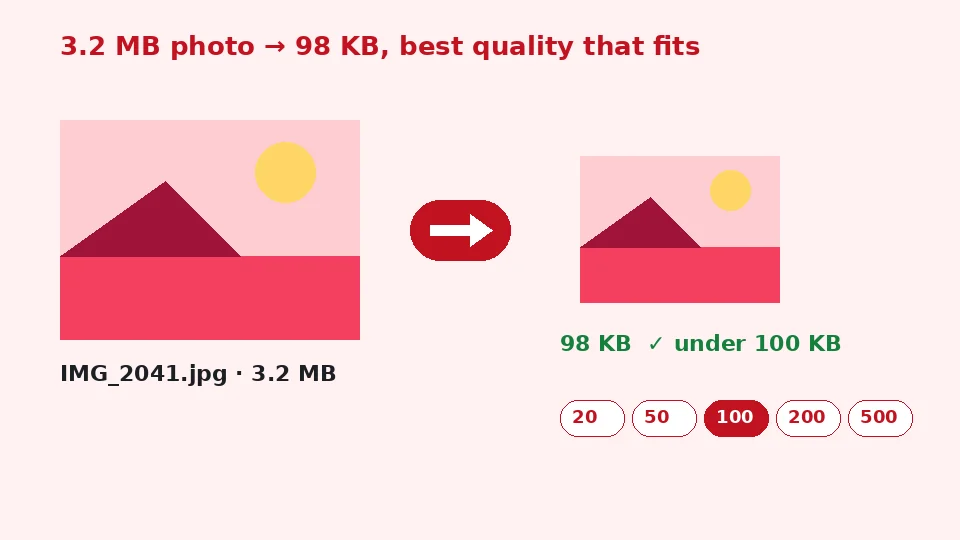
Why do sites ask for images under 100 KB?
Upload limits are everywhere: government services, university and exam registrations, job applications, banking forms and many older content systems. They keep storage small and pages quick, and some systems simply refuse anything above a fixed number. A modern phone photo is often 3 to 8 MB, which can be fifty times over a 100 KB limit, so a normal save will not do.
Guessing a quality setting in an editor usually takes several tries. This tool works the other way round: you give it the limit, and it works out the settings for you.
KB, KiB and what forms mean
Most forms count 1 KB as 1,024 bytes, so 100 KB means 102,400 bytes. The tool uses the same rule, and every result is checked against it, so a file marked as fitting will be accepted by a limit written the same way. If a portal is stricter, choose a slightly lower custom target, such as 95.
How to compress image to 100KB here
Add one or more pictures, keep the 100 KB button selected or pick another, and press Compress to target. For each file the tool encodes a test version at high quality and checks its size. If it is too big, it halves the search range and tries again, settling on the highest quality that stays under the limit. The final quality and any resize are shown next to each file with a tick when it fits.
If even the lowest quality is too large, the image is shrunk in proportion to the overshoot and the search runs again. That is why a 24-megapixel photo can still reach a 20 KB target while staying recognisable.
No guesswork
This is the quickest way to reduce image size in KB to a precise number. You do not need to know anything about quality percentages or pixel sizes; the result is simply the best picture that meets the rule.
Choosing a target
Very small limits
When you compress image to 20KB, expect a smaller picture, typically around 300 to 500 pixels wide for a portrait. That suits signature scans and thumbnail photo fields. Plain backgrounds and good lighting help a lot, because there is less detail to store.
Medium limits
To compress image to 50KB, the tool usually keeps passport-style photos at a comfortable size with decent detail. It is a common limit for exam forms, and a good compromise for profile pictures.
Larger limits
When you compress JPEG to 200KB or 500 KB, most photos keep their full dimensions and only lose fine texture you are unlikely to notice. These sizes suit email, blog posts and marketplace listings.
Quality, formats and transparency
The output is JPG by default, because almost every form accepts it. Transparent areas in PNG files are filled with the colour you choose, white by default. Choose WebP if the image is for your own website: it is usually smaller at the same quality and keeps transparency.
Each file is saved upright using its orientation tag, and camera metadata is not copied, which removes a little weight and protects your privacy. If you want to compress image without losing quality you can see, start from the original photo rather than a copy that was already compressed, and choose the largest limit the form allows.
Compressing or resizing?
The difference between compress image vs resize image matters. Compression keeps the pixel dimensions and stores them more efficiently, while resizing reduces the number of pixels. This tool compresses first and resizes only as a last resort. If a form also demands exact dimensions such as 413 by 531 pixels, resize first with our image resizer and then compress here.
Phones, computers and privacy
To compress a photo to 100KB on iPhone, open this page in Safari, choose the picture from Photos, compress and save the result through the share sheet. Android works the same way in Chrome, and any desktop browser works on Windows, Mac and Linux.
Nothing is uploaded, which matters when the picture is an ID photo, a signature or a scanned document. Processing happens in your browser memory and stops when you close the tab. The tool is free, unlimited and does not use EnhancerPro credits.
Need a quality slider instead?
If you would rather choose the quality yourself and watch the size change, use our simple compress image tool. It suits web images where there is no fixed limit to meet.
Troubleshooting
The result looks blocky
Very small targets force heavy compression. Crop away empty background first with the image cropper, so the available bytes go to the important part, or ask whether the form allows a larger file.
The portal still rejects the file
Some portals also check the format or the dimensions. Make sure JPG is selected, check the pixel size rules, and try a target a few kilobytes below the stated limit.
Text in scans is hard to read
For documents, a higher limit or a tighter crop preserves readability better than heavy compression. If the scan itself is blurry, improve it with our AI blurry text fixer before compressing.
Common size limits and what they mean
Application photos
Photo fields on application forms usually ask for something between 20 and 200 KB, often together with a pixel size and a plain background. Start with a well-lit, sharp portrait cropped to the head and shoulders. The smaller the area you keep, the more detail survives at a given limit, which is why cropping before compressing makes such a visible difference.
Signatures
Signature uploads are often limited to 10 to 50 KB. Sign in dark ink on white paper, photograph it in daylight, crop tightly around the signature and compress. The large white areas compress extremely well, so even a 10 KB limit keeps the strokes clean.
Documents and certificates
Certificates and mark sheets are usually allowed more space, often 200 to 500 KB, because text must stay readable. Use the larger presets for these and check the result at full size before you upload. If several pages are needed, compress each one separately and keep the original scans in case the portal asks for them again.
Email and messaging
For email, around 200 to 500 KB per photo keeps attachments light without visible loss on a phone or laptop screen. Compressing a whole batch at once and downloading a ZIP is the quickest way to prepare an album for sending.
Websites and online shops
Online shops and blogs often set an image budget so pages load quickly on mobile connections. A product photo around 100 to 200 KB looks crisp on most screens. Choose WebP output if your platform supports it: it reaches the same target with noticeably better detail, and transparent product cutouts keep their clean edges.
Consistent file sizes across a catalogue also make pages load more evenly. Run a whole folder through the same target, download the ZIP and upload the set in one go, instead of adjusting each picture by hand in an editor.
Keep a full-quality copy
Compressed files are meant for uploading, not for keeping. Store the original photo too, so you can create a new version at a different size whenever another form asks for one.
Frequently asked questions
Related tools
Need sharper, bigger or restored photos?
Our AI tools enhance, upscale and repair images for free on your device, with optional Pro AI processing on credits.